SubEasy features a powerful built-in subtitle merger that allows users to effortlessly combine multiple subtitle files into a single SRT file. With its intuitive interface and seamless functionality, SubEasy makes subtitle merging quick and easy, saving you time and effort when working with multiple subtitle tracks.
How to merge Subtitles?
Select any subtitle files in the available formats (SRT, VTT).
Select merge mode.
Click "Merge".
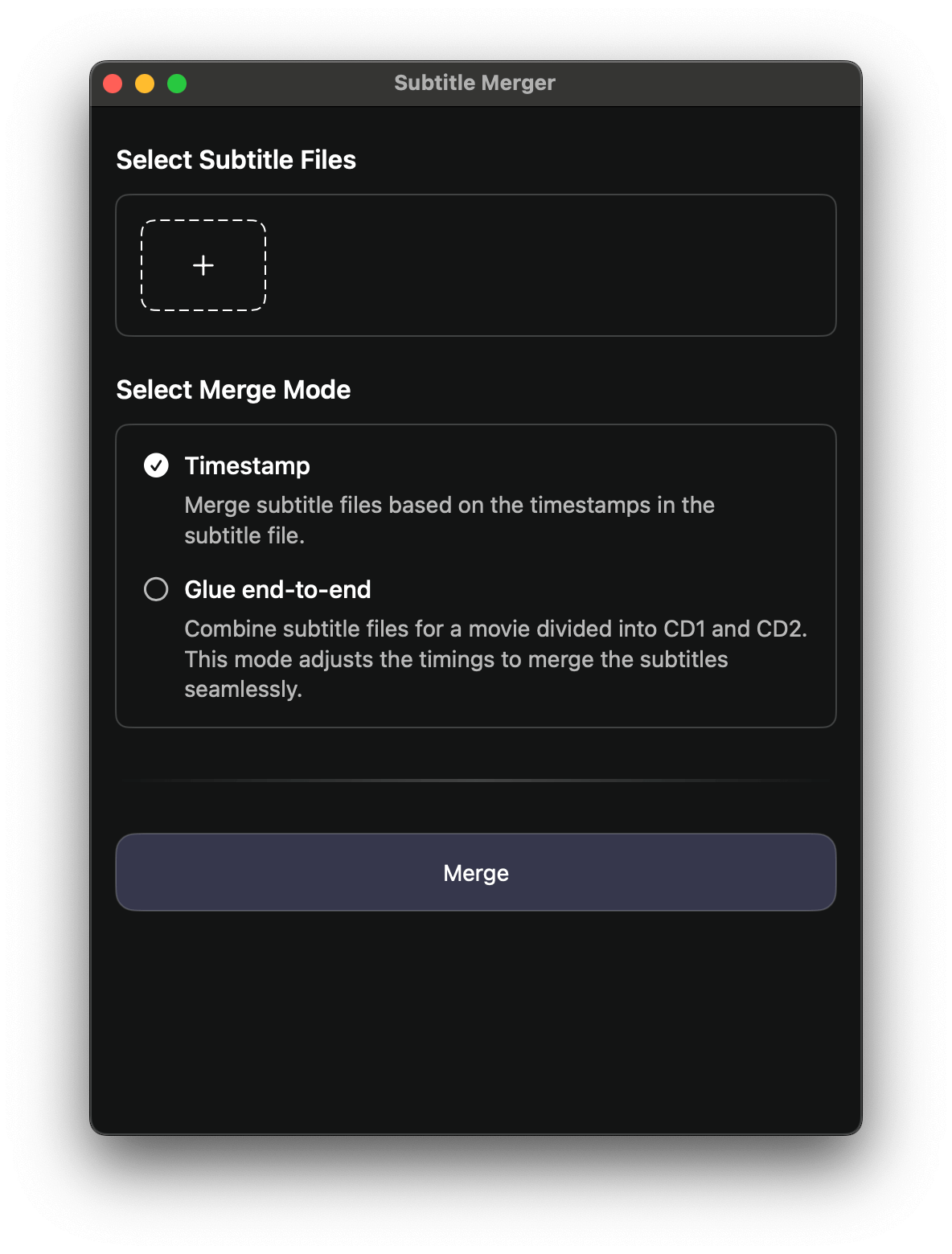
Merge Mode
1. Glue End-to-End (Sequential Merge)
The Glue End-to-End mode is perfect when you have subtitles that belong to different parts of a video and want them combined into a single continuous subtitle file.
How it works: The tool glues your subtitle files end-to-end, one after another.
Automatic adjustment: Each subtitle file’s timestamps are automatically shifted so that the next file starts right after the previous one ends.
Best for: Multi-part subtitles, split subtitle files, or when you have subtitles for different video segments.
2. Merge Based on Timestamp
The Merge Based on Timestamp mode is designed for situations where multiple subtitle files cover the same video timeline but may contain different content.
How it works: The tool merges subtitles according to their original timestamps.
Smart handling: Subtitles are placed into the correct chronological order, ensuring they sync with the video.
Best for: Combining translations (e.g., English + Spanish), merging captions from different sources, or fixing fragmented subtitle files.
